 David Hamilton
MultCloud Premium is officially free to use, the giveaway is valid for 3 months. In case you haven’t used the service before I have summarized some great features and advantages that may change your mind. MultCloud Premium account is a paid cloud management service that lets you connect and manage multiple cloud storage accounts from a single web-based dashboard. It enables direct cloud-to-cloud file transfers, synchronization, backups, and scheduled automation without requiring you to download files to your computer first. The Premium plan removes many of the limitations of the free version by offering faster transfer speeds, more data traffic, advanced sync modes, and priority processing.
- Direct cloud-to-cloud transfers without downloading files.
- Supports 30+ cloud storage services
- High-speed transfers with multiple transfer threads
- Scheduled transfers, backups, and synchronization
- Multiple advanced sync modes, including Mirror Sync and Two-Way Sync
- Centralized management for all connected cloud accounts
- Web-based platform that works without installing desktop software
- Priority servers and higher monthly data transfer limits for Premium users
- No native desktop application
- Advanced features require a Premium subscription
- Transfer speeds depend on cloud provider APIs and internet infrastructure
MultCloud Premium Account Key Features
- Cloud Transfer – Move files directly between different cloud storage services
- Cloud Sync – Keep folders synchronized using multiple sync methods
- Cloud Backup – Back up data between cloud accounts with restore support
- Scheduled Tasks – Automate transfers, backups, and sync operations
- High-Speed Transfer – Faster data movement using premium servers and multiple transfer threads
- Cloud File Manager – Browse, upload, download, copy, rename, and organize files across all connected cloud accounts
- Email Migration – Save emails and attachments directly to cloud storage
- File Filtering – Include or exclude files based on file types or naming rules
Steps to get MultCloud Premium Account for Free
- First of all visit the official GeekByter giveaway page from MultCloud https://apps.multcloud.com/giveaway-geekbyter
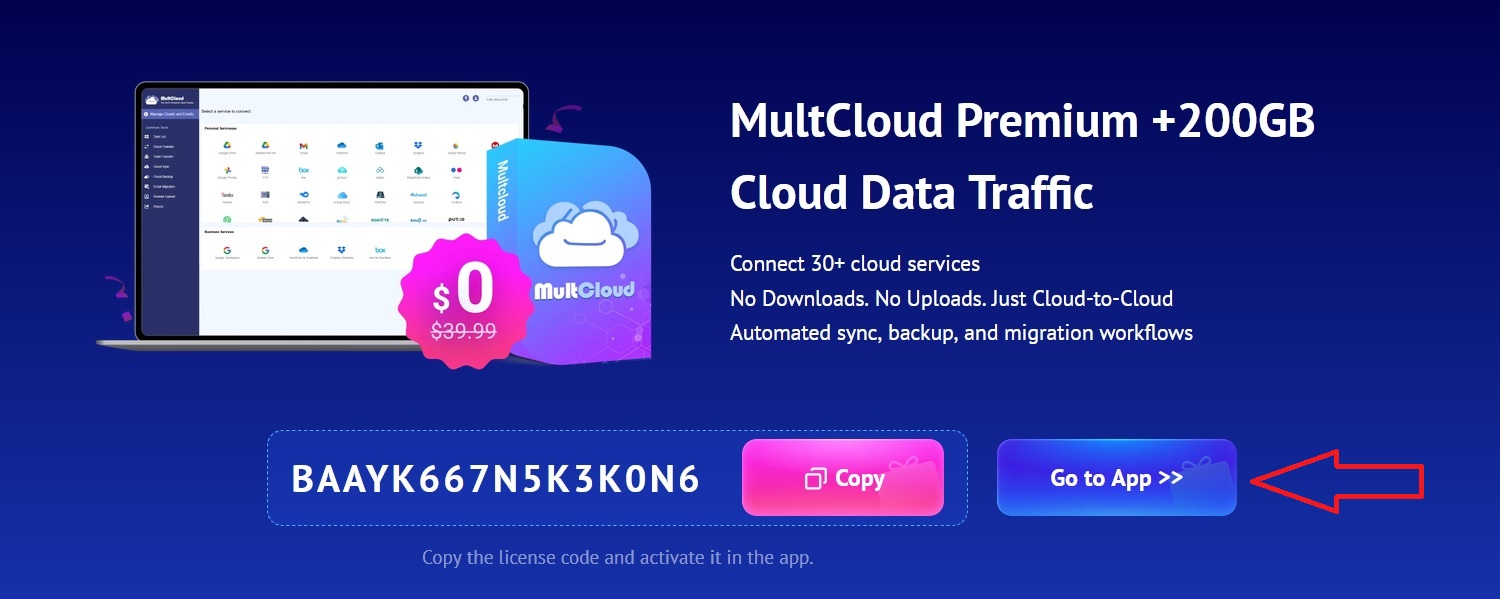
2. Copy the giveaway code: BAAYK667N5K3K0N6 and click “Go to App>” button
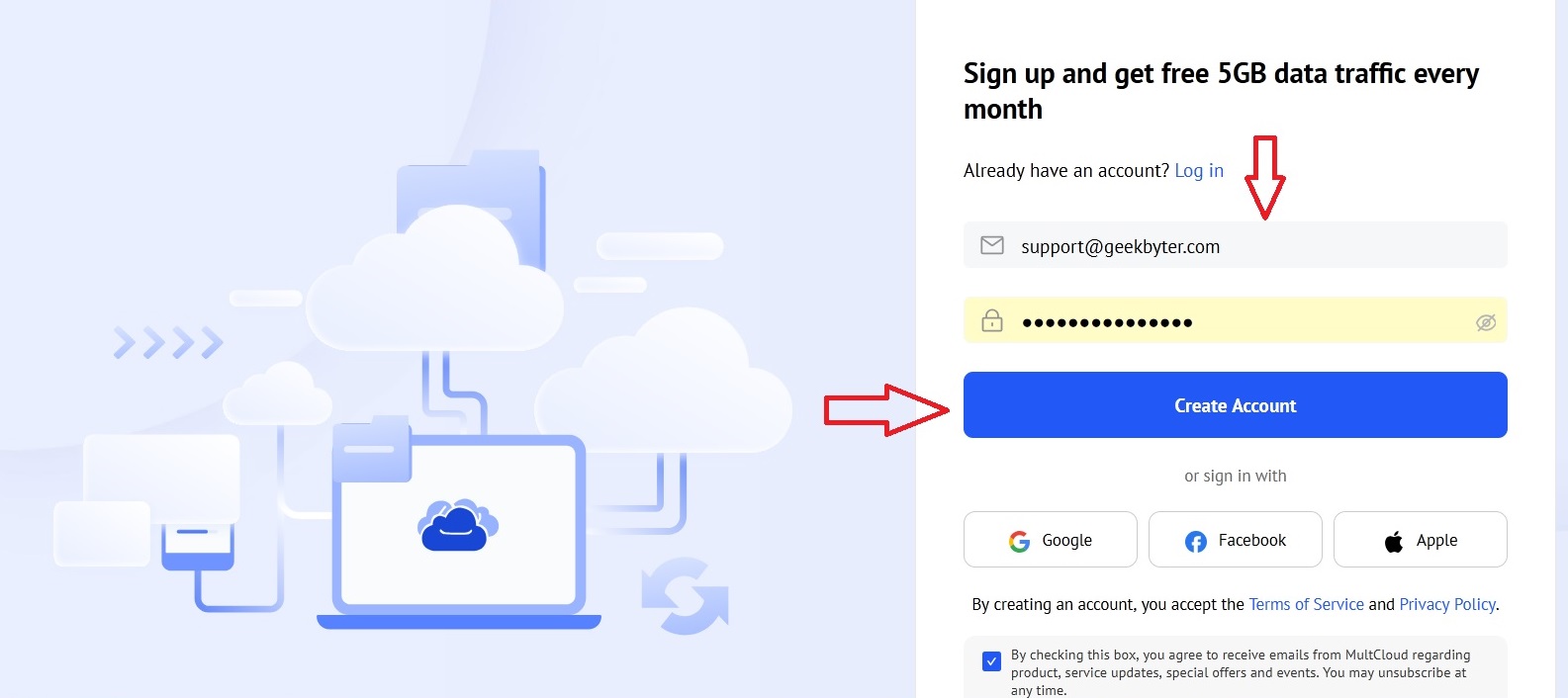
3. Create a free 5 GB MultCloud account with your email address and password
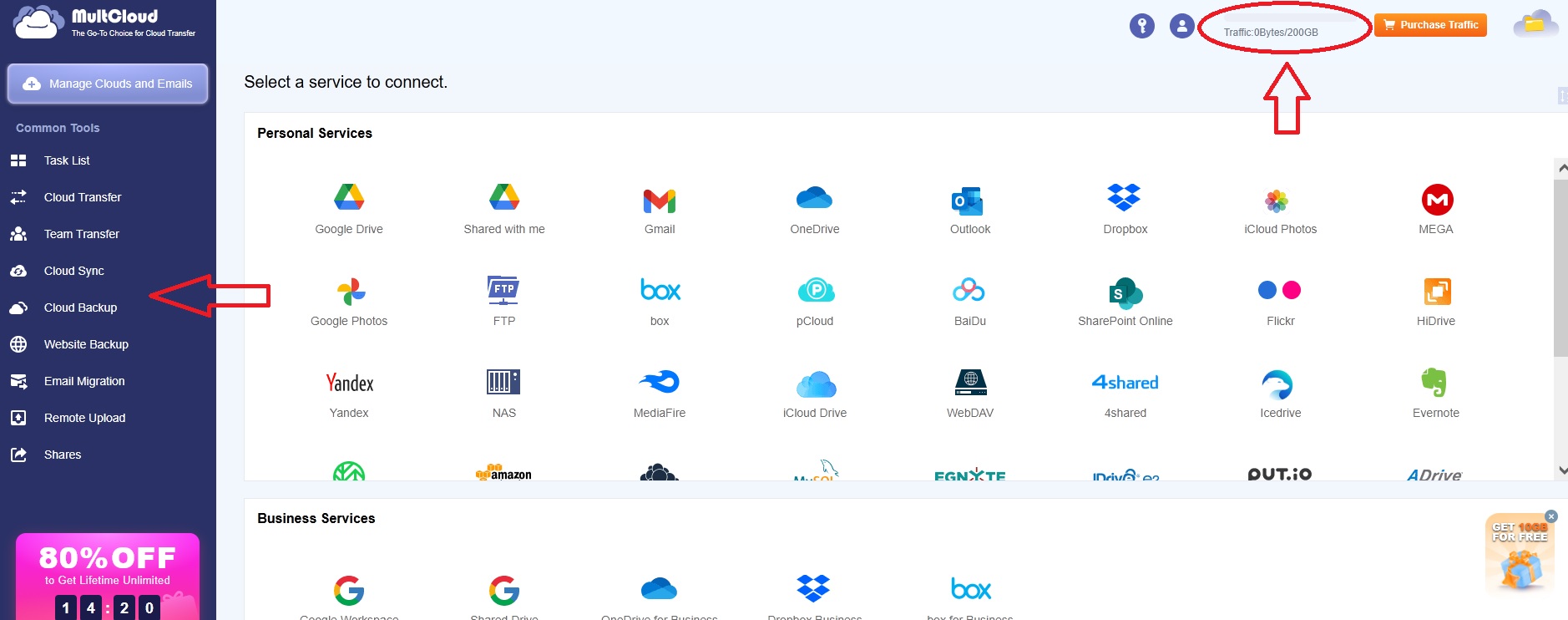
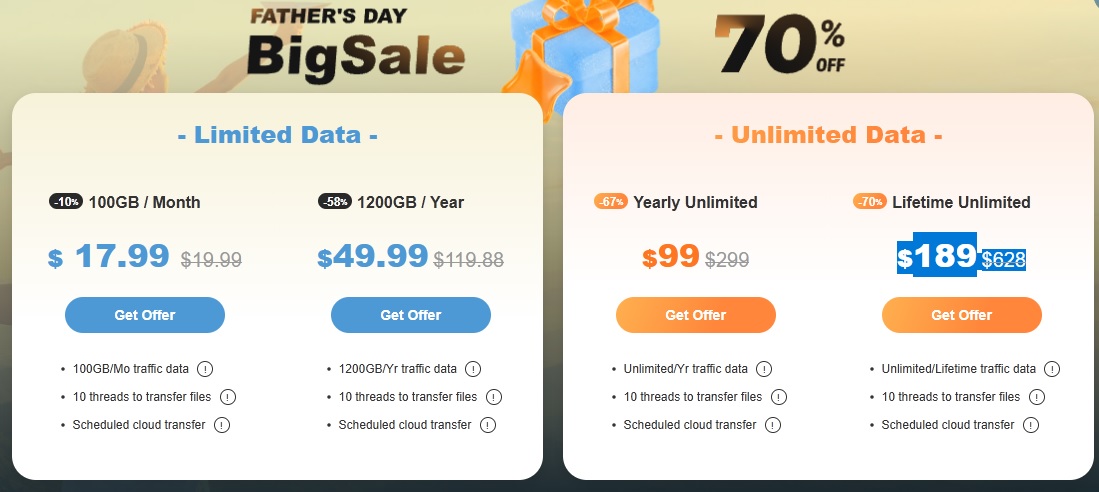
4. Right after signup you will be redirected to the MultCloud free account dashboard. Before we activate a free premium account have a look at the special deals at the upper right corner of the dashboard. At the time of writing there was 70% discount for MultCloud lifetime unlimited with $189 instead of $628 and upto 58% discount for limited plans.
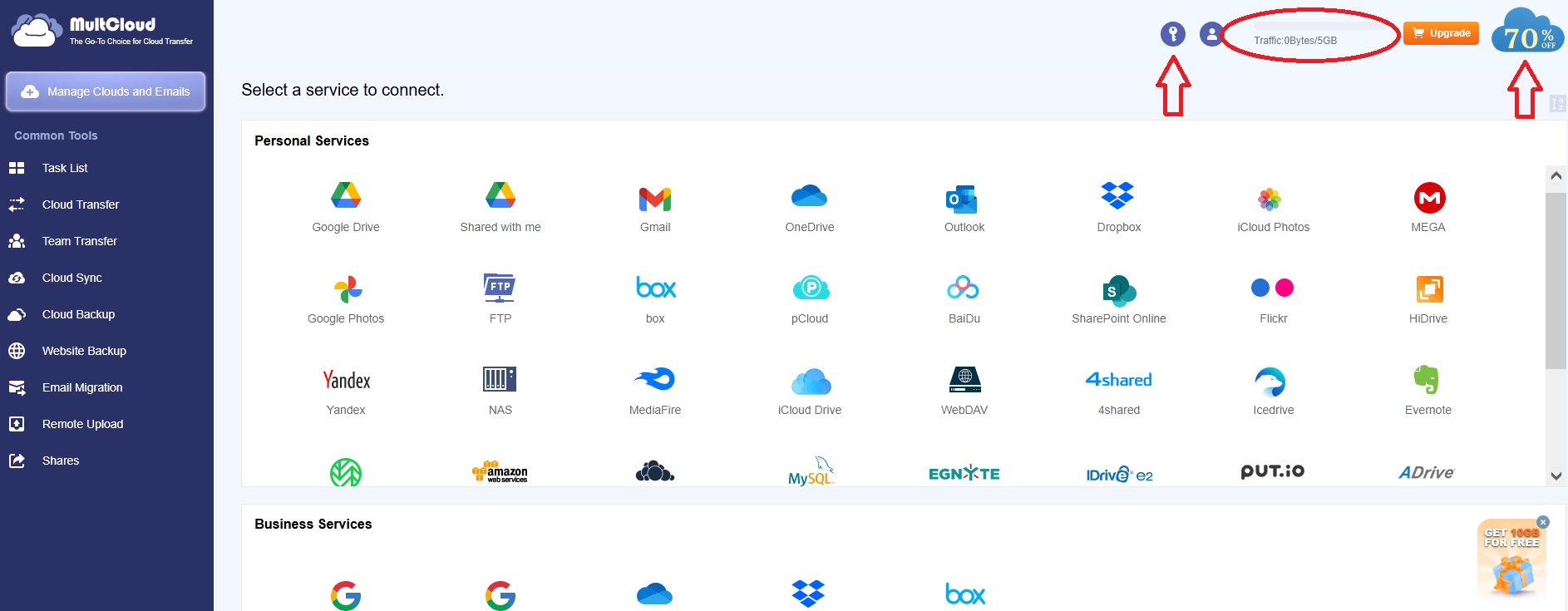
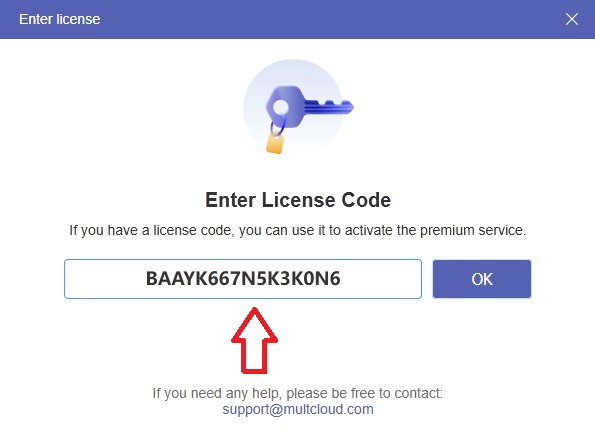
5. To activate free MultCloud Premium account for 3 months click on the key icon -> enter the license code BAAYK667N5K3K0N6
6. In case the license code is valid and hasn’t expired you should see “successful redemtion” pop-up message with the ability to upgrade to lifetime unlimited premium account with 80% price off!
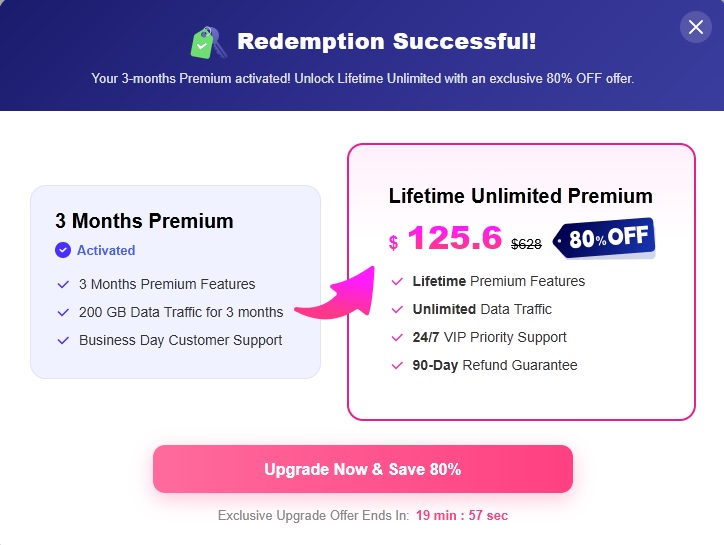
7. After the successful activation you should see 200 GB traffic limit at the upper-right corner of the dashboard and the ability to use all premium features for 3 months.